
Live
Multi-recipient routing. Per-account or org-wide. Severity threshold per recipient.
Product · AWS Advanced Tier Services Partner
Statistical baselines per service plus an AI commentary layer that explains why the line moved. Free, multi-account, multi-region.
HIGHNAT Gateway · us-east-1+218% vs baseline
“Started 09:14 with the image-resize deploy — a retry loop is hammering NAT. VPC endpoints would cut ~$764/mo.”
Flagged the morning it started — 19 days before the invoice.
How It Works
Fewer false positives than naive threshold alerts. Plain-English explanations on every alert so on-call does not have to dig.
Rolling 30-day window per service per account, calibrated to ignore weekday-vs-weekend and end-of-month invoice patterns.
Robust statistical thresholds (median absolute deviation, not naive mean) so noisy workloads do not bury real signals.
A natural-language layer turns the raw anomaly into a one-sentence explanation: "spike in running instances, possible missed shutdown scheduling."
Alerts route to the email addresses you configure per account, and to Slack or Microsoft Teams channels via incoming webhooks.
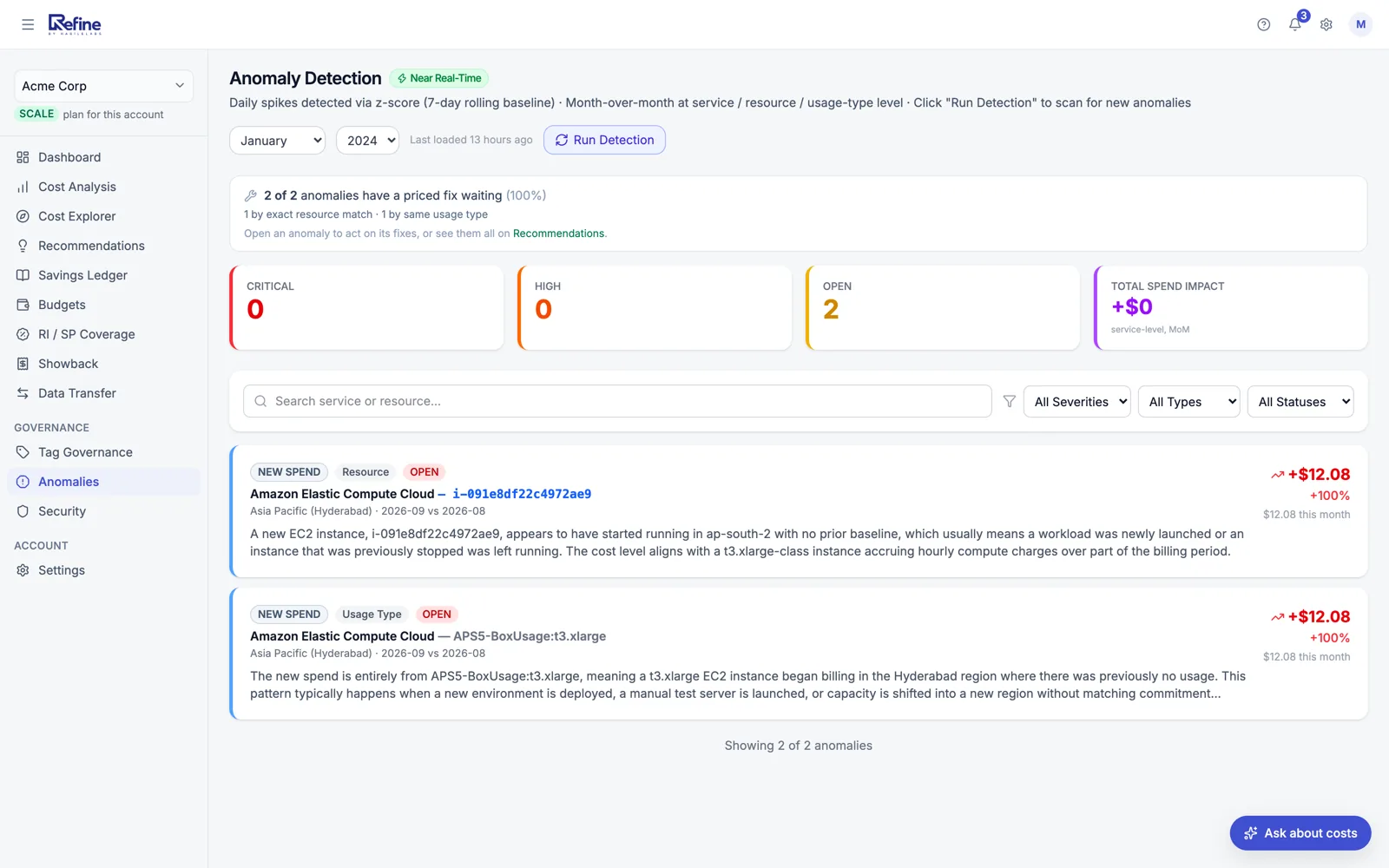
Examples from the product
Each card is the exact shape of the notification you receive — service + region + delta + AI commentary.
+7% week-over-week
Spike in running instances starts Friday 19:00 and continues through weekend. Possible missed shutdown scheduling on the staging cluster.
+152% in 24 hours
Function `nightly-report-runner` invoked at 2.5× normal volume. Likely a runaway loop — concurrency limit not set. Worth checking the invocation source.
+23% on storage
Standard-tier growth on logs-prod bucket. Lifecycle policy may have regressed — last successful Glacier transition was 14 days ago.
+34% cross-region
New traffic flow us-east-1 → ap-south-1 starting Tuesday. Check VPC peering, CloudFront origin, or recent deployment touching cross-region replication.
-100% (likely deletion)
Instance `analytics-prod-replica` disappeared from the bill. If intentional, dismiss. If not, this is a costly accident — check CloudTrail before backups expire.
Notification channels
Three channels, all working today — no "integrations page" full of logos that turn out to be roadmap items.
Multi-recipient routing. Per-account or org-wide. Severity threshold per recipient.
Incoming-webhook posts (Block Kit) with per-alert-type routing to the channel you choose.
Incoming-webhook card alerts that link straight to the anomaly in the dashboard.
Growth and up
Three channels is the easy part. The reason alerts get muted wholesale at most companies is that everything goes everywhere, so routing is per event type, not per product.
Some workloads are inherently noisy — batch jobs, ML training, dev environments. Refine lets you tune thresholds per service so the noise stays quiet and the real signal cuts through.
60-second setup. Free under $2,000/month of AWS spend. Read-only access.
Refine is built and supported by HabileLabs, an AWS Advanced Tier Services Partner.