
Tag governance
Untagged spend ranked by cost, a policy for your required keys, and a CLI or Terraform patch to fix tags in bulk.
Learn moreAWS cost, security and anomalies
Refine reads your AWS bill and configuration through one read-only IAM role, then shows what to cut, what is exposed and what just spiked — sized in dollars, with the console steps to fix it.
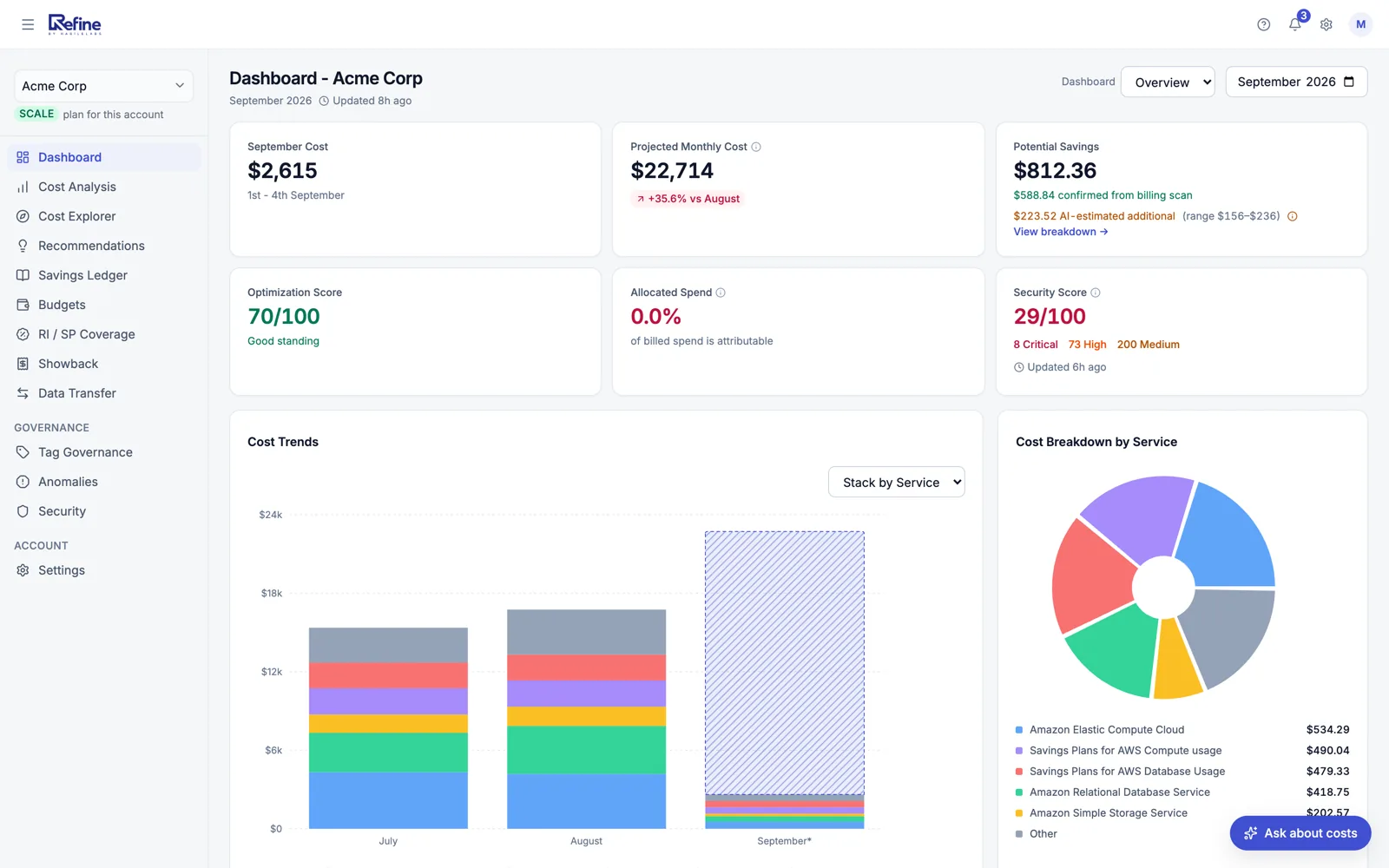
The dashboard on a live account. The customer is renamed; the numbers are theirs.
45%
lower monthly AWS bill
E-commerce platform · $45k → $24.75k/mo in 14 days · anonymized
Read the story38%
lower monthly AWS bill
Series A FinTech · $8.5k/mo saved — runaway Lambda caught · anonymized
Read the story27%
lower monthly AWS bill
Healthcare provider · $120k/year saved across 11 accounts · anonymized
Read the storyBuilt and run by HabileLabs
The company behind Refine, with the AWS AI Services and SMB Services competencies and delivery designations for Lambda, API Gateway and CloudFormation — the services Refine itself runs on.




See it in 35 seconds
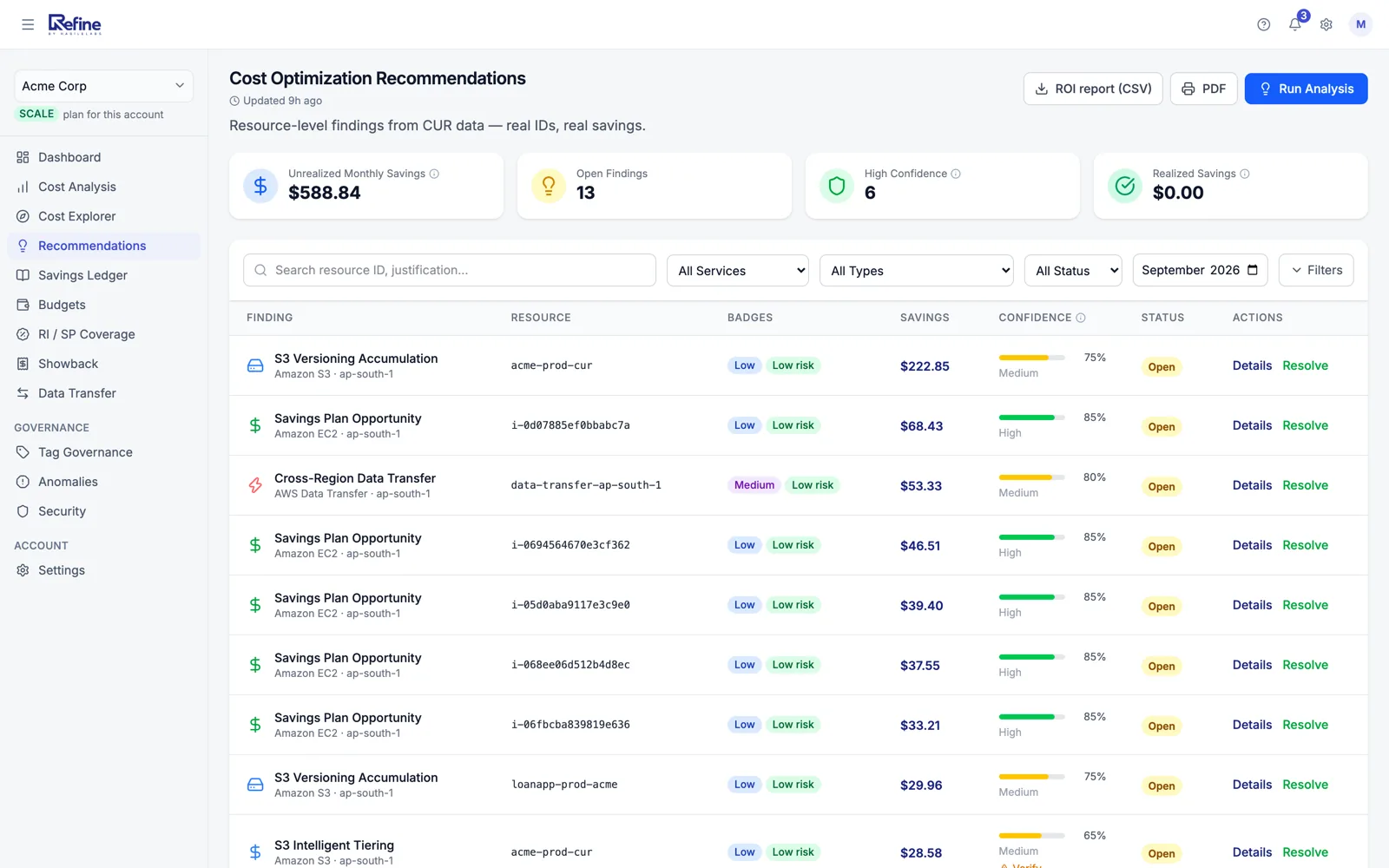
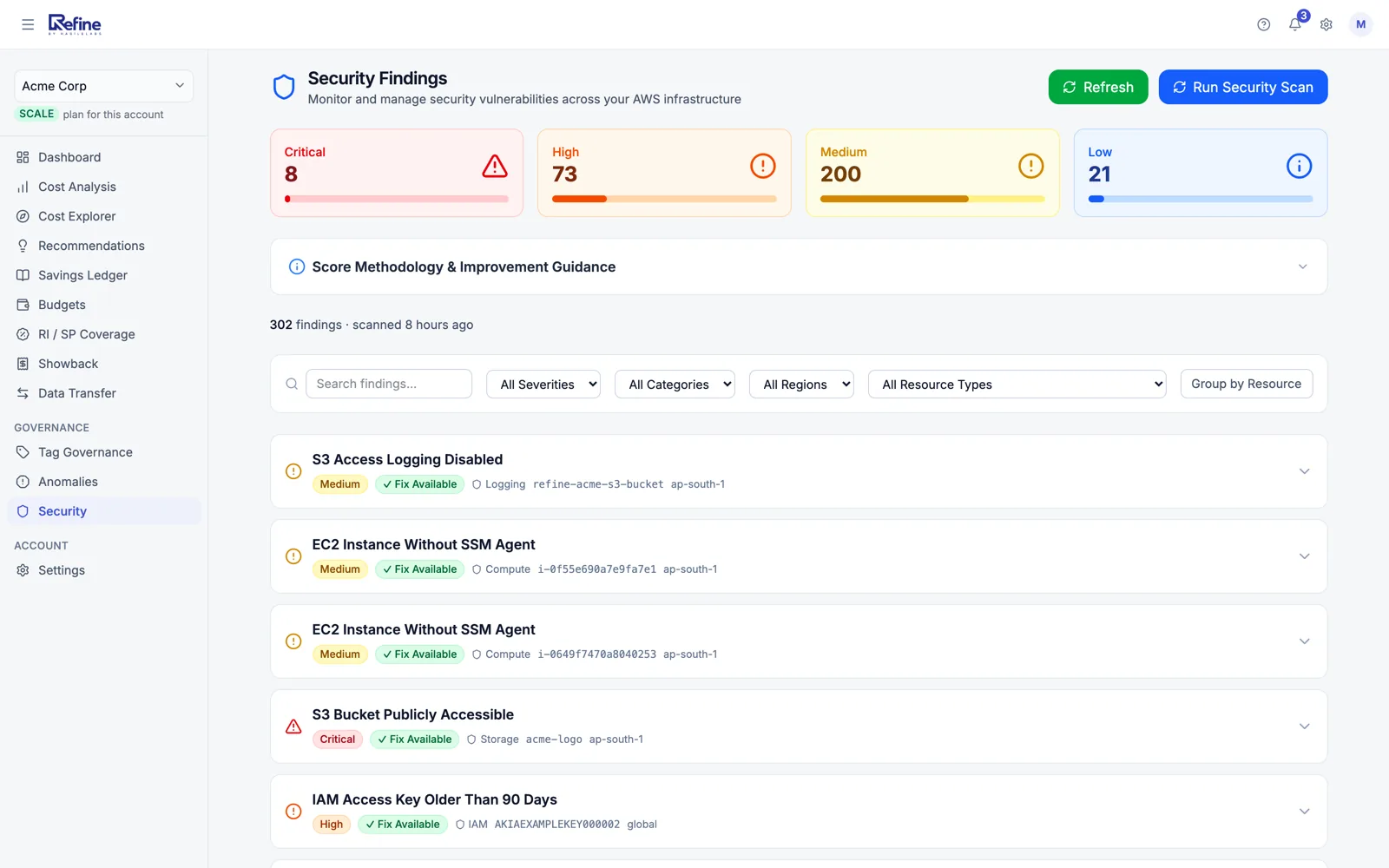
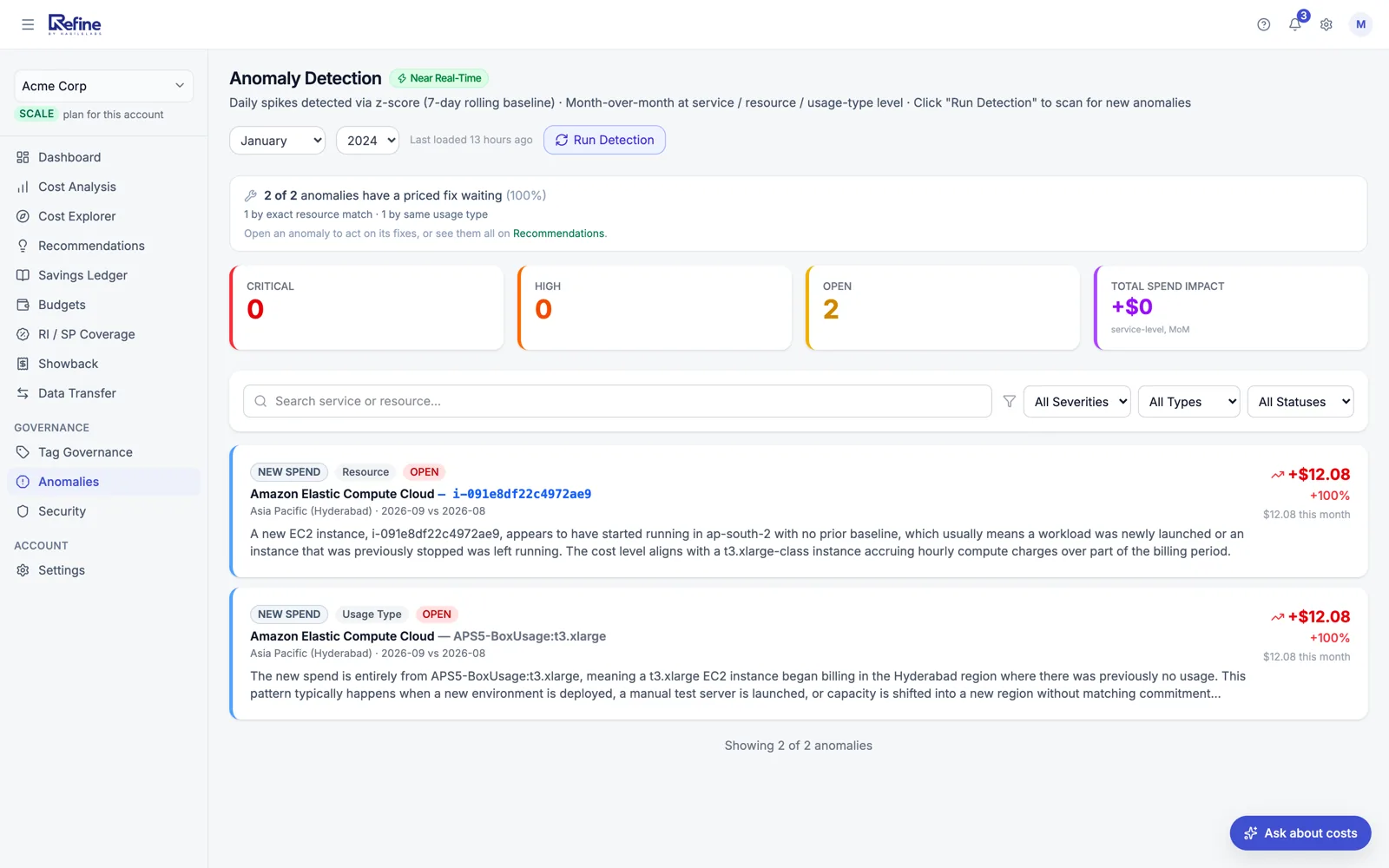
Eight screens from a live account — dashboard, cost analysis, recommendations, commitments, security findings, anomalies, data transfer and tag coverage. The customer is renamed; the numbers are theirs.
Cost optimization
Rightsizing, idle and storage-class moves
Resource-level recommendations from your billing data, each with a monthly figure and a confidence score that says when to check the console first.
Commitments planned from your own usage
Reserved Instance and Savings Plan purchases sized against your usage history, next to the coverage you already have.
Savings checked against later bills
Resolve a recommendation and Refine measures the saving in your later billing data, so the ledger shows what really came off.
Security findings
24 checks, every one of them listed
Public S3 buckets and databases, root without MFA, open SSH, unencrypted volumes, CloudTrail and GuardDuty gaps, Bedrock guardrails. The whole list is on the security page.
Ranked by severity, named by resource
Each finding names the resource and region and sorts into critical, high, medium or low, so the first thing on the list is the first thing to fix.
The fix in front of you
Findings with a vetted remediation open the AWS Console steps for that resource and the AWS doc. Refine stays read-only: you make the change.
Anomaly detection
A daily look at every service
Each day's spend from the billing export is compared with its own recent baseline, per service, and anything that moved past it is flagged.
Alerts where your team already works
Email, Slack and Microsoft Teams, plus a regular cost digest so nobody has to go looking.
An explanation, not just a red line
Each anomaly names the service and resource, the size of the move, and says in plain English what usually causes it.
Also in Refine
Featured result · E-commerce · anonymized
Right-sized over-provisioned EC2 + S3 lifecycle policy moved infrequently-accessed storage to Glacier.
Read how they did itHow it works
One CloudFormation stack in your account. No agents, no access keys, nothing to run.
About two minutes in the AWS console. It sets up the billing export and creates a role only Refine can assume, with your External ID: read-only, no access keys.
Usually within a day. Refine picks it up on its own and tells you when the first report is ready.
Savings ranked by monthly dollars, findings by severity, anomalies as they land — by email, Slack or Teams.
In a hurry? Upload last month’s bill — the analysis takes under a minute and needs no account.
Why Refine
$100 or $200 a month by your AWS spend band. Never a percentage of your bill, and never a share of what you save.
Nothing in Refine changes your AWS account. Fixes arrive as console steps or a script you run with your own credentials.
The same role feeds the savings and the security checks, so there is no second tool or second connector to review.
Built 100% on AWS. The AI-written reports run on Amazon Bedrock in the Mumbai region.
The band sets the price. Enterprise adds the procurement terms large teams ask for.
Free
$0 /month
Up to $2k/month AWS spend
Growth
$100 /month
$2k–$10k/month AWS spend
Scale
$200 /month
$10k–$50k/month AWS spend
Enterprise
Custom
Over $50k/month AWS spend
Read-only IAM access, encryption at rest and in transit, your data deletable at any time, hosted entirely on AWS. See how
IAM read-only role
No access keys. Revoke anytime.
Encrypted in transit + at rest
TLS 1.2+, AES-256 at rest
Delete your data anytime
Self-service or by written request, exportable on request
Built 100% on AWS
Same trust boundary as your AWS infra
Free under $2,000/month of AWS spend. No credit card. Read-only access you can revoke from the AWS console at any time.
Refine is built and supported by HabileLabs, an AWS Advanced Tier Services Partner.